Blog
How Family-Friendly 3D Printing Is Turning Screen Time Into Creative Time

Most parents are not trying to ban screens. They are trying to make screen time worth something — and a new generation of family-friendly 3D printers is showing what that can look like.
A child watching another autoplay video has a very different afternoon from a child who opens an app, designs a small dinosaur, prints it, and spends the next hour acting out a story with it. Both involve a screen. Only one ends with something to hold.
That gap is where family-friendly 3D printing has started to matter. It does not pretend kids will give up their devices. It gives the device a job — a starting point for making, building, and playing. The screen becomes a tool, not the whole afternoon.
From passive watching to active making
Passive screen time tends to end the way it began. The video finishes, the next one starts, and there is nothing left over.
Creative screen time has a finish line. A child decides on a colour, picks a shape, edits a character, sends a file to print, and walks away with an object. The phone or tablet is part of the process, not the entire experience. This is what a screen-light creative workflow looks like in practice.
Once the print is done, the screen is closed. The toy, the keychain, the model car — that is what the rest of the day is built around.
| Passive screen time | Active, screen-light creativity |
|---|---|
| Ends when the video or game ends | Ends with a printed object the child can use |
| No physical result, no follow-up | Sparks pretend play, gifts, family games |
| Hard to stop, easy to drift | Has a clear start, middle, and finish |
Why 3D printing feels different from other kids’ tech
Apps end. Games end. A printed object stays.
That single difference changes the rhythm of the activity. A child who designs a small animal can use it for pretend play. Siblings who print simple race cars can spend a Saturday testing tracks. Families can print game pieces for a rainy afternoon. A nine-year-old can make a small gift for a teacher and feel proud of it for weeks.
3D printing also sneaks in a soft form of design thinking. Kids learn that the first version may need a tweak. They learn that a shape can be redrawn, scaled, or fixed. None of it feels like homework, because the reward at the end is something they can play with.
| “The best family tech does not ask parents to become engineers. It gives them a clear role: help with setup, supervise the key moments, and let the child lead the creative choices.” |
What makes a 3D printer family-friendly?
Not every 3D printer is built for families. Hobby machines are designed for tinkerers who already know what slicers, gcode, and CAD files are. A family setup needs to start much earlier in the journey.
Three things tend to separate a family-friendly product from a hobbyist one.
1. A guided app experience
Parents do not want to be greeted by a blank professional design tool. Children need a path that starts simple and grows with them.
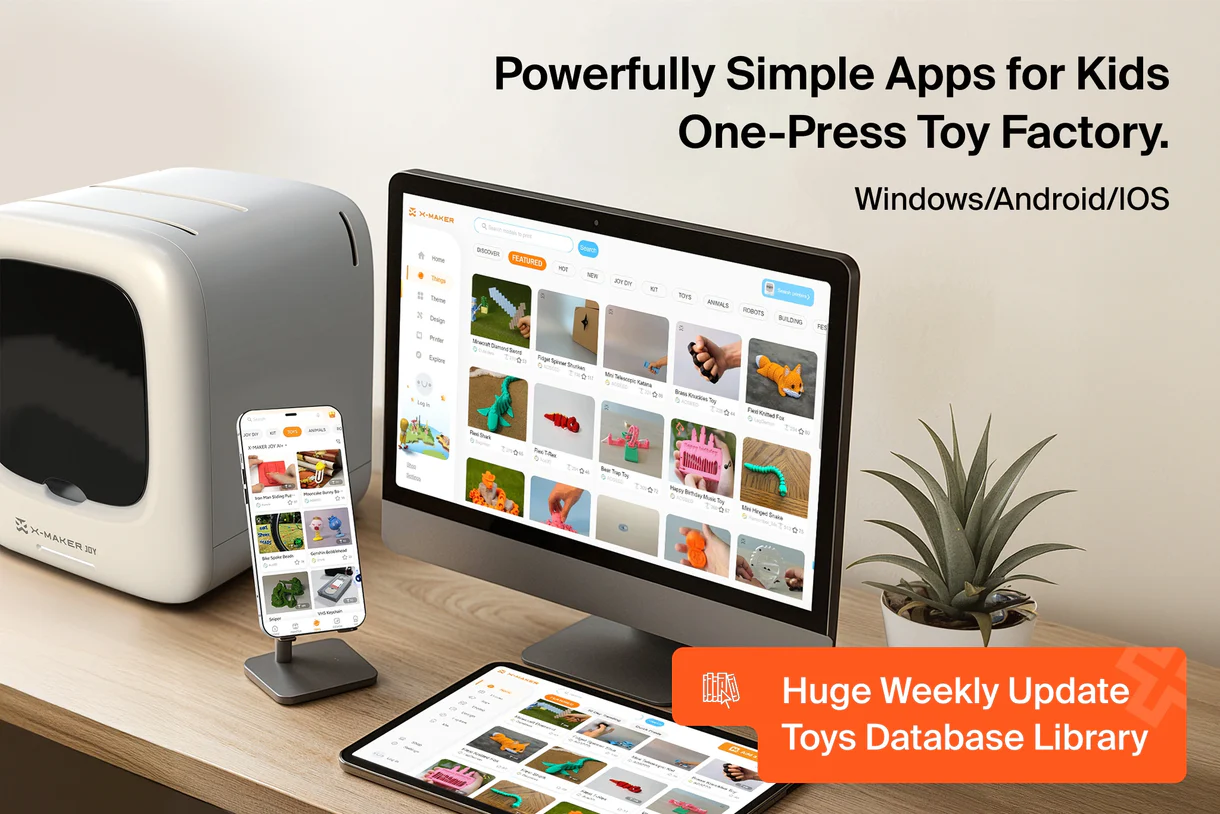
A good example is AOSEED’s app ecosystem, paired with kid-focused hardware like the AOSEED X-MAKER JOY. The app guides kids through three stages: AI-assisted idea generation and personalisation, game-style toy design through themed mini apps, and beginner-friendly 3D modelling for structural builds, cartoon-style creations, and custom projects. A six-year-old can start by tapping through a themed mini app. An older sibling can move into actual modelling. Same product, different entry points.
2. A clear parent role

Parents want to help — they do not want to run the whole thing.
A family-friendly setup should let the child take the creative lead while keeping the adult role limited and predictable. Setup, supervision at key moments, and a quick check before the print starts should be enough. Anything more and the activity quietly turns into the parent’s project.
3. Projects that are easy to start
A blank machine is intimidating. Even motivated kids stall when they have to invent the first idea on their own.
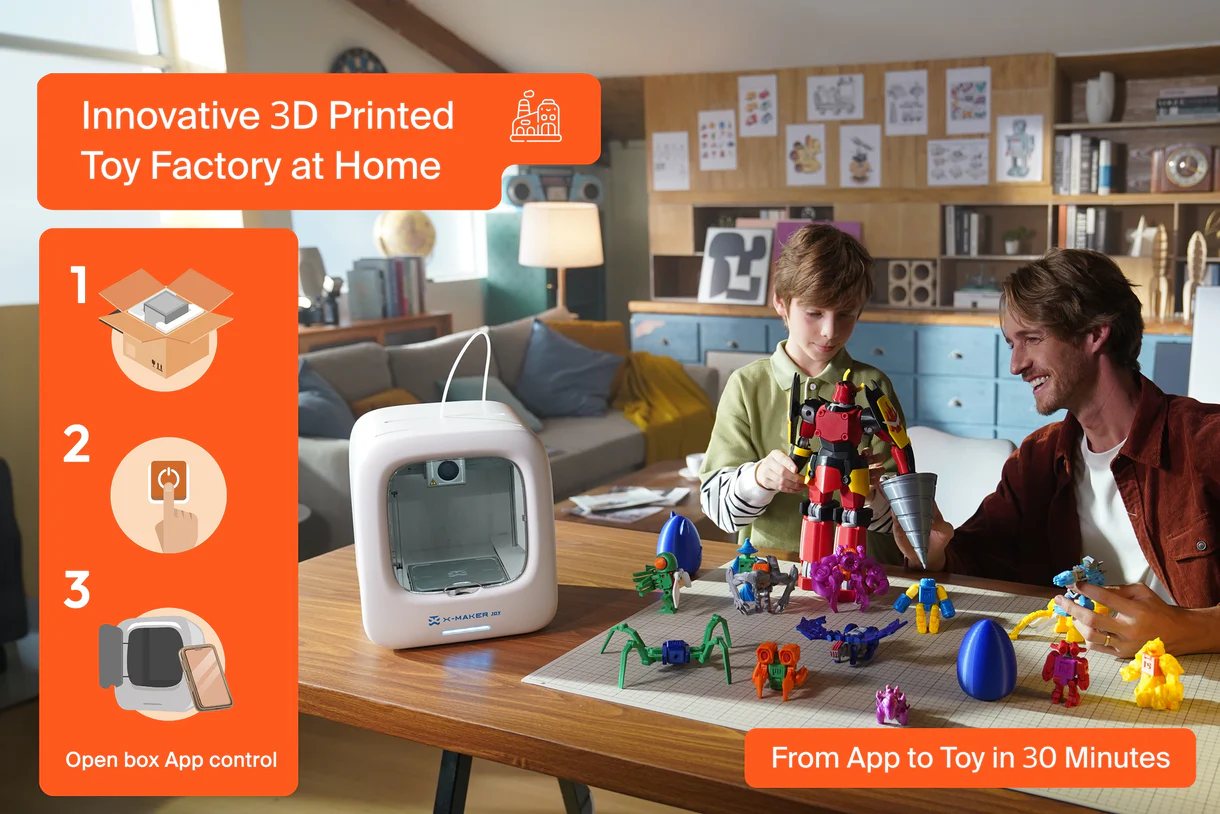
This is why a Toy Library matters. A steadily updated library of kid-friendly models gives families ready-made starting points: animals, vehicles, puzzles, classroom builds, seasonal projects, small gifts. The first print stops being a design challenge and becomes a choice between fun options.
Why a project library matters more than people think
Most family tech struggles with the same question: will this still get used in week three?
A project library is the answer. It turns the printer from a one-time gift into a repeating activity, and it gives parents an honest reason to bring it out again on a quiet Sunday.
Categories help. Sorting models by age, interest, or play pattern lets a parent skim quickly without guessing. A child who loved a dinosaur last week is more likely to engage with a dinosaur puzzle this week. The “what should we make next?” problem mostly disappears.
How families can start small
The first month does not need to be ambitious. Smaller projects build confidence faster than big ones.
A reasonable starter mix looks something like this:
- Simple toys — animals, mini cars, pretend-play props
- Useful home objects — labels, plant markers, desk organisers
- Small gifts — teacher gifts, birthday decorations, family keepsakes
The rule of thumb: the first print should be quick enough to finish in one sitting, simple enough to avoid frustration, and playful enough to use afterwards.
Better screen time should lead to something real
Not all screen time looks the same on the way out. Some of it leaves a child restless. Some of it leaves a small dinosaur on the kitchen table.
Family-friendly 3D printing is not a campaign against devices. It is a quiet shift in how creative time can flow — guided software at the start, a printed object in the middle, and play, gifts, or a shared moment at the end.
For families looking for a gentler entry point into this kind of creative time, the AOSEED kids 3D printers lineup offers a guided way to start at home — printer, app, and Toy Library in one place.