Tech
The Complete PC Maintenance Checklist: Why Driver Booster 13 Is Essential in 2026

As we move deeper into 2026, PCs are more powerful than ever — but they are also more complex. From high-performance graphics cards to advanced chipsets and wireless technologies, modern computers rely heavily on properly functioning drivers. Unfortunately, many users overlook one of the most critical aspects of PC health: regular maintenance.
Without consistent upkeep, even the fastest computer can become slow, unstable, or vulnerable to security risks. That’s why having a complete PC maintenance checklist is essential. At the center of that checklist should be a reliable tool like Driver Booster — a trusted driver updater designed to keep your system optimized and stable.
The Cost of Ignoring Driver Maintenance
Neglecting driver updates in 2026 can lead to:
- System instability
- Security vulnerabilities
- Reduced hardware lifespan
- Lower productivity
- Gaming performance issues
Many PC problems that users blame on “slow hardware” are actually caused by outdated drivers.
Regular driver maintenance ensures your PC runs at its full potential.
Why Driver Booster 13 Free Is Essential in 2026
Technology in 2026 moves quickly. Windows updates are frequent, hardware innovation continues rapidly, and compatibility demands are higher than ever.
Here’s why Driver Booster stands out as essential:
1. Large Driver Database
It supports a massive number of 1800+ devices and manufacturers.
2. One-Click Updates
Instead of updating drivers individually, you can update multiple drivers at once.
3. Safe and Verified Downloads
All drivers are tested to ensure stability and security.
4. Automatic Scanning
It detects outdated, missing, or faulty drivers instantly.
5. Improved System Stability
Updated drivers reduce crashes and improve overall responsiveness.
For everyday users who don’t want to manually manage technical details, this automation saves time and prevents mistakes.
The Complete PC Maintenance Checklist of 2026
1. Keep All Drivers Updated
Drivers are the bridge between your hardware and your operating system. If they become outdated or corrupted, problems quickly follow:
- System crashes
- Hardware malfunctions
- Poor gaming performance
- Network instability
- Audio or display errors
In 2026, software and hardware updates are released more frequently than ever. Manually checking each manufacturer’s website for updates is unrealistic for most users.
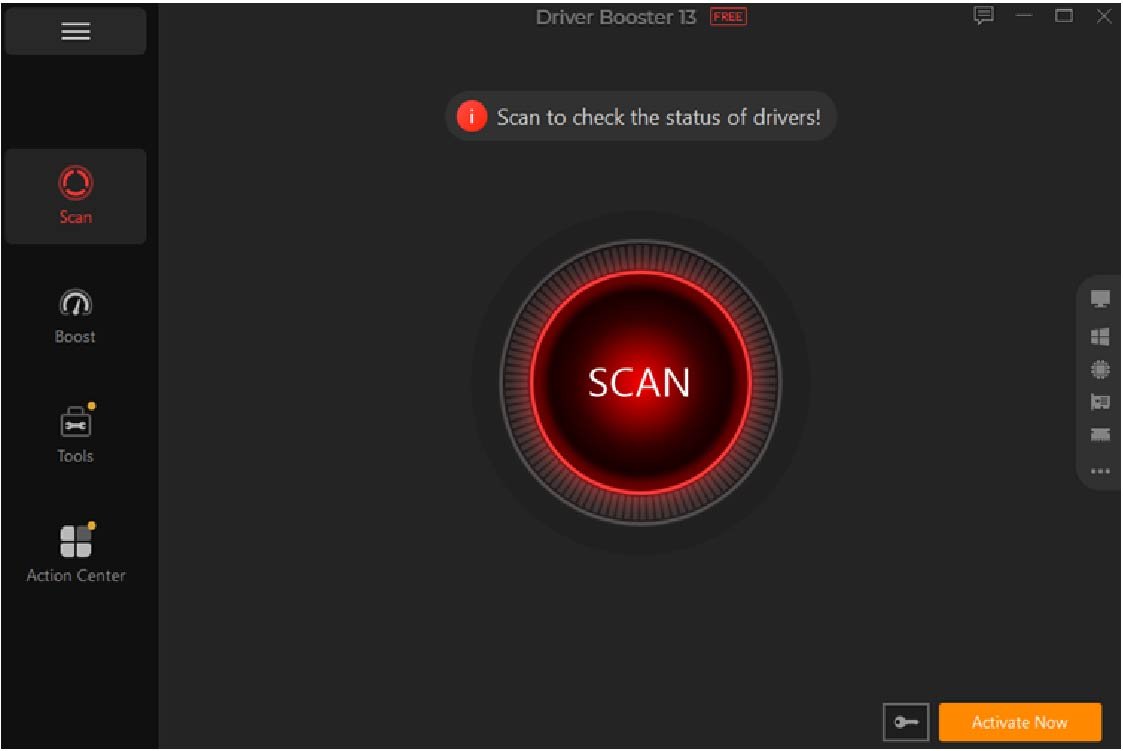
That’s where Driver Booster becomes essential. This tool developed by IObitcan automatically scans your system, identifies outdated drivers, and installs the correct versions safely. This ensures compatibility with the latest Windows updates and new software releases.

2. Perform Regular Malware Scans
Even the most careful users can encounter security threats. Malware can slow down your system, corrupt files, and even steal data.
Your maintenance checklist should include:
- Weekly quick scans
- Monthly full system scans
- Real-time protection activation
A clean system performs better and reduces the risk of driver corruption caused by malicious software.
3. Clean Temporary Files and Junk Data
Over time, temporary files, cache data, and leftover installation files accumulate. These unnecessary files can:
- Consume storage space
- Slow down boot times
- Reduce overall responsiveness
Regular disk cleanup improves performance and frees up valuable storage.
4. Optimize Startup Programs
One of the biggest causes of slow boot times is too many startup applications. Many programs automatically launch when Windows starts — even if you rarely use them.
Your checklist should include:
- Reviewing startup programs
- Disabling unnecessary apps
- Keeping only essential services enabled
This simple step can dramatically improve startup speed.
5. Update Graphics Drivers for Gaming Performance
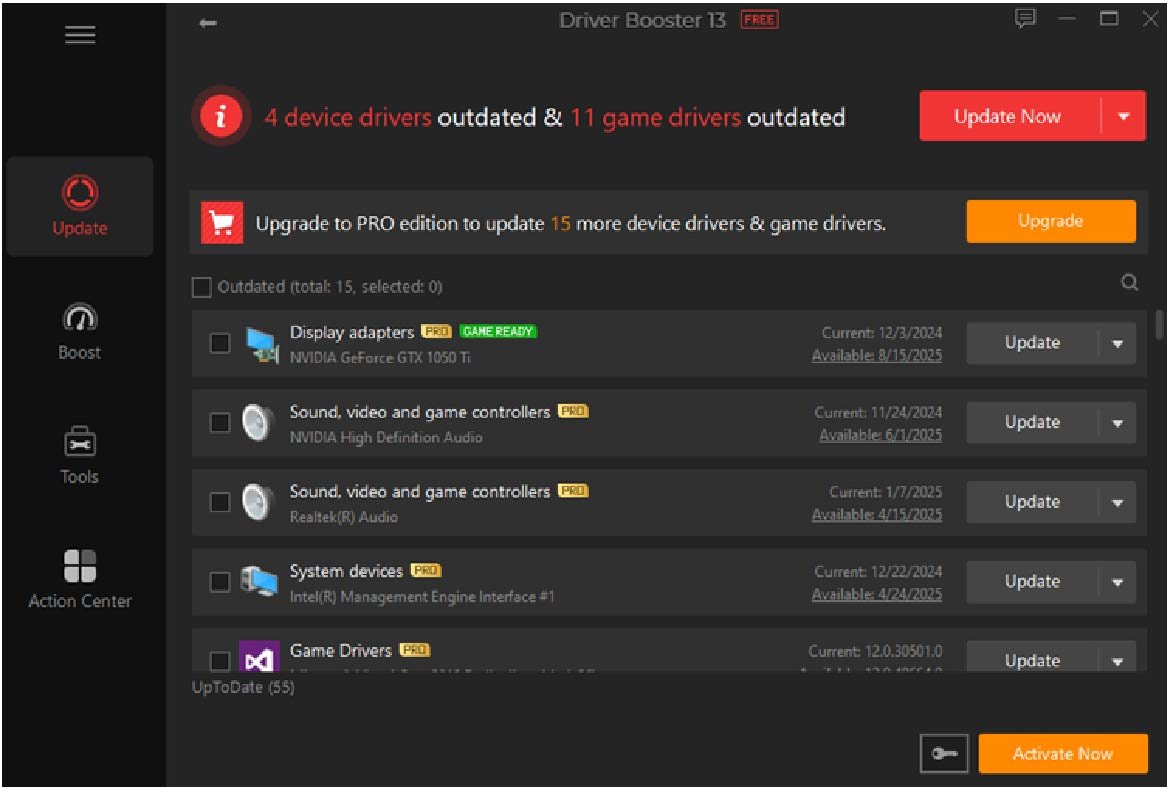
Gaming in 2026 demands maximum performance. Modern games require optimized GPU drivers to deliver smooth frame rates and stability.Outdated graphics drivers can cause:FPS drops, Screen tearing, Crashes, Compatibility errors. This driver updater ensures your graphics drivers are always up to date, helping you get the best performance from your hardware.

6. Backup Important Drivers
Unexpected system failures or Windows reinstallations can cause driver loss. Having a driver backup prevents headaches during recovery.
Driver Booster includes driver backup and restore options, allowing you to:
- Save working driver versions
- Restore previous drivers if an update causes issues
This safety net is critical for long-term system stability.
7. Check Hardware Health
Modern PCs rely on components like SSDs, RAM, GPUs, and cooling systems. While drivers ensure software communication, hardware monitoring ensures physical reliability.
Your maintenance routine should include:
- Checking temperatures
- Monitoring disk health
- Testing memory stability
Healthy hardware combined with updated drivers results in maximum system efficiency.
8. Fix Device Errors Immediately
Have you ever seen a yellow warning icon in Device Manager? That’s a sign of a driver problem.
Ignoring these issues can lead to:
- USB ports not working
- Audio failures
- Bluetooth connection issues
- Printer malfunctions
Using a dedicated driver updater helps quickly detect and fix these errors without technical troubleshooting.
Building a Simple Monthly PC Maintenance Routine
To make maintenance easier, follow this monthly routine:
- Run Driver Booster scan and update drivers.
- Perform a full malware scan.
- Clean junk files.
- Review startup programs.
- Backup important data.
- Check for Windows updates.
This routine takes less than 30 minutes but can significantly extend your PC’s lifespan.
Final Thoughts
In 2026, PC performance depends on more than just powerful hardware. Stability, speed, and security all rely on consistent maintenance. Among all tasks on your checklist, keeping drivers updated is one of the most important.
With automated scanning, safe updates, and backup features, Driver Booster simplifies a complex technical process. As a reliable driver updater, it ensures your hardware and software work together seamlessly.
If you want a faster, safer, and more stable PC in 2026, adding Driver Booster 13 Free to your maintenance checklist isn’t optional — it’s essential.