
Blog
Game Recording Made Easy: iTop Screen Recorder for Windows Gamers

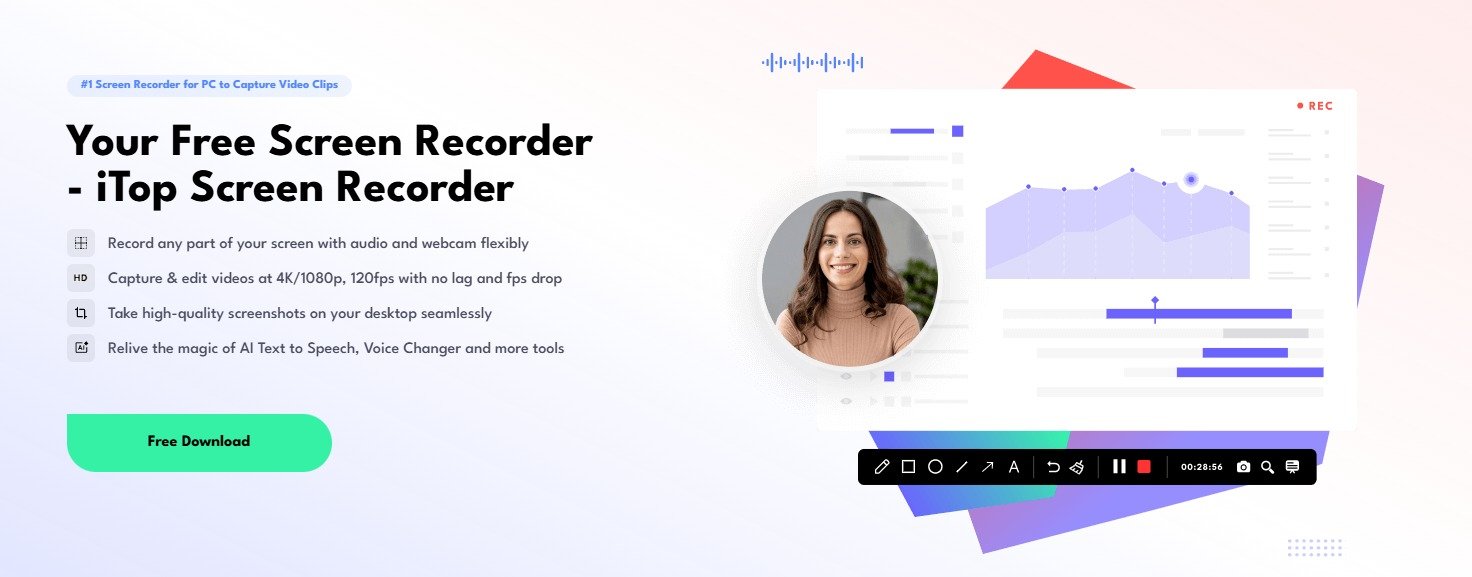
You know that feeling when you pull off an impossible play? The perfect headshot, the clutch final kill, that glitch you stumbled upon that made you laugh out loud. For a moment, you’re a legend—in your own room, at least. But then the moment passes, living only in your memory and maybe a frantic retelling to a friend later. What if you could actually keep those moments?
For PC gamers, recording gameplay has become as natural as taking a screenshot was a decade ago. It’s not just for streamers or YouTubers anymore. It’s for anyone who wants to preserve a highlight, analyze a tough match, share a funny bug with their Discord server, or slowly build a library of their gaming journey. The problem? Finding a recorder that doesn’t turn this simple desire into a technical headache. Many tools either eat your precious FPS for breakfast or bury you under layers of confusing settings and codec options.
Enter iTop Screen Recorder for Windows. This isn’t some bloated studio suite pretending to be gamer-friendly. It’s a tool built on a simple premise: let gamers hit record, forget about it, and play. It captures your action cleanly and quietly, without turning your buttery-smooth gameplay into a stuttering slideshow. Let’s break down why it works and how you can start using it tonight.
Features That Actually Matter When You’re in the Heat of Battle
So, what does this “gamer-first” approach look like in practice? Here are the features that make the difference between a frustrating tool and a seamless one.
The Silent Partner: Minimal Performance Hit
This is the number one priority. iTop Screen Recorder is built to be lightweight. It uses efficient encoding to capture your gameplay without demanding a huge chunk of your CPU and GPU. This means you’re far less likely to experience those game-breaking frame drops or stutters right in the middle of a boss fight or a ranked match. It supports high frame rate recording (up to 120 FPS), so even your fast-paced FPS or racing games look smooth and natural in the replay, not choppy and artificial.
Record Your World, Your Way: Flexible Capture Modes
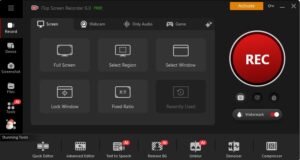
Games don’t all run the same. Some are best in full-screen exclusive mode, others you run in a window while watching a guide on another monitor. iTop Screen Recorder adapts:
Full Screen: Perfect for immersive, all-in experiences. It captures everything your monitor sees.
Select Region: The ultimate precision tool. Drag a box around exactly what you want—maybe just the game HUD, or a specific section of your multi-monitor setup for a strategy game.
Game Window: Locks onto your game application specifically. Great for borderless windowed mode.
This flexibility means you’re never fighting the software to make it capture what you see.
Sound Matters: Crystal-Clear Audio Capture
A silent highlight reel is a sad one. The roar of the engine, the crunch of a hit, your own victorious (or disastrous) shout—it’s all part of the memory. iTop Screen Recorder lets you capture it all, simply.
System Audio: Grabs every sound from your game and PC.
Microphone: Adds your live commentary, reactions, or squad chat.
Mix Both: You can record them simultaneously and even adjust their individual volume levels. Want your voice a bit louder than the game music? A simple slider makes it happen. No need to dive into Windows sound panels mid-game.
From Raw Footage to Highlight Reel in Minutes: The Built-In Editor
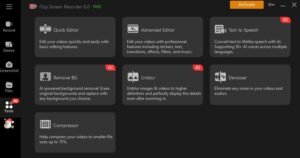
Let’s be real: no one wants to watch your 45-minute match, including the 10 minutes you spent in the lobby. After you stop recording, iTop Screen Recorder doesn’t just dump a huge file on you. Its built-in editor lets you trim the fat immediately. Cut out the boring loading screens, the failed attempts, the quiet moments. Isolate the 30-second clip of pure magic. You can do this right inside the app, without needing to learn a whole new editing program. For gamers, this is a game-changer—it turns a recording session into a shareable clip in under a minute.
Bonus Snapshots: For When a Video is Too Much
Sometimes, a single frame tells the whole story—a crazy loot drop, a hilarious character glitch, a beautiful vista. The built-in screenshot tool lets you grab these high-quality images instantly with a hotkey, without ever leaving your game.
Get It Out There: Painless Exporting
Once your clip is trimmed and ready, iTop makes sharing straightforward. Export it in common formats (like MP4) and resolutions that work perfectly for YouTube, TikTok, Discord, or Twitter. It avoids overwhelming you with professional broadcasting formats, sticking to what works for sharing and saving.
Your Quick-Start Guide to Recording Tonight
Convinced to give it a shot? Here’s how simple the process is:
- Grab and Go: Download and install iTop Screen Recorder from their official site. The setup is quick and clean.
- Set Your Stage: Open the app. Before launching your game, choose your recording mode. For most, Full Screen is perfect. Then, look at the audio toggles. Flick on System Sound and Microphone if you want your voice. Test your mic level with a quick sentence.
- Play and Forget: Hit the big REC button. You’ll get a brief countdown. Launch your game and play normally. The software runs silently in the background. Want to pause or stop? Use customizable hotkeys (like F9 or F10) so you never have to alt-tab.
- Cut to the Good Stuff: After your session, stop the recording. It will open in the preview window. See the timeline? Drag the start and end markers to select only the best part—that epic fight, that funny fail. Click trim.
- Share Your Glory: Click Save, choose a folder and a format (MP4 on “High Quality” is a safe bet), and you’re done. Upload it, send it, cherish it.
Conclusion
iTop Screen Recorder is for the practical gamer. It’s for the competitive player who wants to review their last match to see where they over-extended. It’s for the casual player who finally beat that tough level and wants to send the proof to a friend. It’s for the aspiring content creator taking their first steps, who needs something reliable before diving into the deep end of complex software. It removes the friction between experiencing a great moment and preserving it.
Game recording shouldn’t be a chore, a performance tax, or a second hobby. It should be an effortless extension of play. With iTop Screen Recorder, you can stop worrying about the recording and get back to what really matters: the game. Your next highlight is waiting to be captured—all you have to do is hit record.

How to Fix “Error Connecting to Server” on WebRTC Video Chats

Scaling Modern Applications: A Guide to Microservices and AWS Expertise

Evaluating a Fast Turn PCB Partner for High-Frequency Applications

Why Roaming Can Be a Problem Abroad and How an eSIM Can Help

Do You Really Need a Watch Winder for Your Automatic Watch?

Why Sportswear Is No Longer Limited to Athletes

The Name Necklace Trend Is Back, But More Grown-Up

A Clearer Route to Reliable professional drain clearance and CCTV inspection

Is The High Street Bank Losing Its Grip On UK Business Loans?

TabooTube Explained: The Powerful Platform for Unfiltered Content

SSIS 469: Fixing SQL Data Errors in ETL Workflows

content://cz.mobilesoft.appblock.fileprovider/cache/blank.html: Explained with Powerful Insights

Scrolller Explained: The Powerful Way to Browse Reddit Images

Zavalio com Explained: The Ultimate Truth You Must Know

adswynk com: Monetize Links With Smart Ads in 2025

Deshoptec com Review: Powerful Truth About This Online Store

kz43x9nnjm65: The Smart Code Transforming Digital Technology

Novafork: The Best Free Streaming Site for Movies, Shows & Anime

Milohacherry Coin Explained: The Powerful Lifestyle Crypto Rewarding Travel & Fitness
-
 Blog10 months ago
TabooTube Explained: The Powerful Platform for Unfiltered Content
-
 Blog12 months ago
SSIS 469: Fixing SQL Data Errors in ETL Workflows
-
 Blogs1 year ago
content://cz.mobilesoft.appblock.fileprovider/cache/blank.html: Explained with Powerful Insights
-
 Blog10 months ago
Scrolller Explained: The Powerful Way to Browse Reddit Images