
Technology
How Creators Can Turn One Image Into Multiple Video Ideas With AI

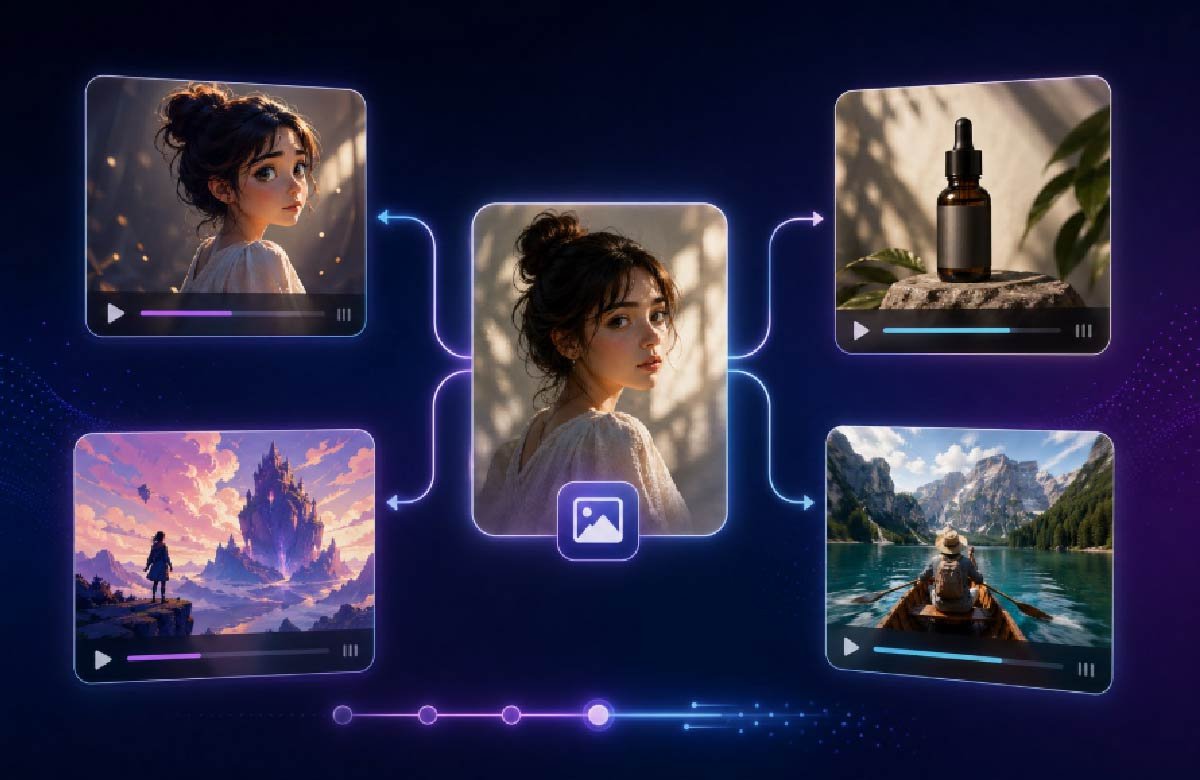
I used to think creators needed more ideas. After spending more time around content workflows, I am not so sure. Most creators already have ideas. What they often lack is enough time, footage, energy, or editing support to turn those ideas into finished posts.
That is why I pay attention to tools that help creators reuse what they already have. A single image can now become more than a single post. With an image to video workflow, one portrait, product photo, illustration, or travel image can become a moving clip made for video-first platforms. In my own testing, GoEnhance provides a good AI video generator for creators who want to turn still visuals into short, publishable videos without starting from a blank timeline.
The Creator Bottleneck Has Changed
For many independent creators, the hard part is not imagination. It is production.
A solo creator may have a strong concept but no camera crew. A small business owner may have product images but no video editor. An artist may have beautiful character illustrations but no animation skills. A lifestyle creator may have a folder of photos but not enough short-form videos to post consistently.
This is where AI video tools become useful. They do not magically build a personal brand. They do not replace taste, timing, or storytelling. But they do help close the gap between “I have an image” and “I have something I can post as a video.”
That gap matters because video is often where audience attention sits.
One Image Can Become Several Content Directions
A single image has more potential than most people use. When I review content with creators, I often ask a simple question: how many ways can this one asset be repackaged?
A portrait can become a profile intro. A product image can become a promo clip. An illustration can become a character scene. A poster can become a video teaser. A travel photo can become a moving memory. A pet image can become a fun social clip. A cover image can become a short announcement video.
This does not mean every image deserves ten versions. Some do not. But the habit of thinking beyond the first post is valuable.
Here are a few examples:
| Original Image | Possible Video Version |
| Portrait photo | Personal brand intro |
| Product photo | Short promo clip |
| Character art | Animated story scene |
| Travel photo | Motion-based memory post |
| Event poster | Video announcement |
| Album cover | Music teaser visual |
The idea is not to flood the internet with low-effort content. The idea is to get more value from images that already have a clear purpose.
Why AI Video Works Well for Solo Creators
Solo creators usually do not have the same resources as media teams. They may be writing, filming, editing, posting, replying, and planning all by themselves. Even when they have good taste, the workload can become heavy.
AI video tools help because they reduce the number of steps between concept and output. A creator can upload an image, choose a direction, generate a short clip, review the result, and refine it. That is much easier than planning a shoot every time a new video is needed.
The benefit is especially clear for creators who work with visual formats:
- Artists and illustrators
- Ecommerce sellers
- Musicians
- YouTubers
- TikTok creators
- Personal brand builders
- Meme page owners
- Digital product sellers
They all need content that moves, but not every post requires traditional video production.
Practical Ways to Expand One Image Into Multiple Formats
A portrait can be used as a short character clip. This works well for profile videos, creator introductions, visual storytelling, and fictional characters. The movement does not need to be dramatic. Sometimes a subtle camera shift or expression-style motion is enough.
A product image can become a promo video. Small sellers can use this for product launches, seasonal posts, discount campaigns, or ad tests. A static product photo may look fine, but a little motion can make it feel more native to short-form platforms.
An illustration can become a story scene. This is useful for artists, comic creators, writers, and OC creators who want to show a character in a more dynamic way. A still artwork can become a small moment instead of only a finished image.
A travel photo can become a motion post. I have seen this work well for creators who do not want to record voiceovers or appear on camera. A still view, with gentle motion, can feel more immersive.
A poster can become a video intro. This is useful for events, courses, music releases, podcast episodes, and online workshops. Instead of posting the same static design everywhere, creators can create a short motion version that feels more platform-friendly.
Where Face Swap Fits Into Creative Testing
There is another side to AI video creation that needs more careful handling: identity-based editing. Used responsibly, face swap can support creative testing, such as trying different character looks, adapting a concept for a different audience, or building playful visual drafts while respecting consent and identity rights.
That last part matters. Face swap technology should not be treated as a toy without boundaries. For personal projects, creator experiments, and approved brand content, it can be useful. For misleading, unauthorized, or harmful use, it is a bad idea.
In my view, the safest creative use is when the person involved has given permission, the context is clear, and the final content does not confuse the audience about what is real.
How to Keep AI-Generated Videos Looking Natural
A good AI video usually starts with a good image. I have noticed that clean source material makes a big difference. A sharp subject, simple background, and clear lighting often produce better results than a crowded or blurry image.
It also helps to avoid asking too much from one generation. Extreme motion can create distortion. For many creator posts, gentle movement looks more polished than exaggerated action.
A few habits help:
- Use a clear, high-resolution image
- Keep the main subject visible
- Avoid messy backgrounds when possible
- Start with subtle motion
- Generate more than one version
- Choose the most natural result, not the most dramatic one
- Edit the final clip lightly before posting
The best AI output usually still needs human judgment. That is where the creator’s taste matters.
AI Video Is Becoming a Normal Creator Tool
I do not think AI video tools remove the need for creativity. If anything, they make creative judgment more important. When a tool can generate many versions quickly, the creator has to decide which one actually fits the audience, message, and platform.
The useful shift is that one image no longer has to stay one image. It can become a clip, teaser, intro, ad draft, character moment, or social post. For creators who are trying to publish consistently without burning out, that is a meaningful advantage.
The future of creator content may not always begin with a camera. Sometimes it will begin with one strong image and a clear idea of how to make it move.

Do You Really Need a Watch Winder for Your Automatic Watch?

Why Sportswear Is No Longer Limited to Athletes

The Name Necklace Trend Is Back, But More Grown-Up

A Clearer Route to Reliable professional drain clearance and CCTV inspection

Is The High Street Bank Losing Its Grip On UK Business Loans?

How Engineering Firms Are Using Technology to Deliver Faster Projects

Why Elasticated Waists Have Stopped Being the Thing Nobody Admits They Own

Magnific for Enterprise: How Global Brands Are Using AI Creative Production at Scale

Micro-Soldering Tools and iPhone Motherboard Repair: A Complete Guide

UK Management College Celebrates 10 Years of Excellence with Landmark SummerFest 2026 at Heaton Park

TabooTube Explained: The Powerful Platform for Unfiltered Content

SSIS 469: Fixing SQL Data Errors in ETL Workflows

content://cz.mobilesoft.appblock.fileprovider/cache/blank.html: Explained with Powerful Insights

Scrolller Explained: The Powerful Way to Browse Reddit Images

Zavalio com Explained: The Ultimate Truth You Must Know

adswynk com: Monetize Links With Smart Ads in 2025

Deshoptec com Review: Powerful Truth About This Online Store

kz43x9nnjm65: The Smart Code Transforming Digital Technology

Novafork: The Best Free Streaming Site for Movies, Shows & Anime

Milohacherry Coin Explained: The Powerful Lifestyle Crypto Rewarding Travel & Fitness
-
 Blog9 months ago
TabooTube Explained: The Powerful Platform for Unfiltered Content
-
 Blog11 months ago
SSIS 469: Fixing SQL Data Errors in ETL Workflows
-
 Blogs1 year ago
content://cz.mobilesoft.appblock.fileprovider/cache/blank.html: Explained with Powerful Insights
-
 Blog9 months ago
Scrolller Explained: The Powerful Way to Browse Reddit Images