Social Media
Effortless Ways to Download and Keep Your Favorite Instagram Videos and Reels

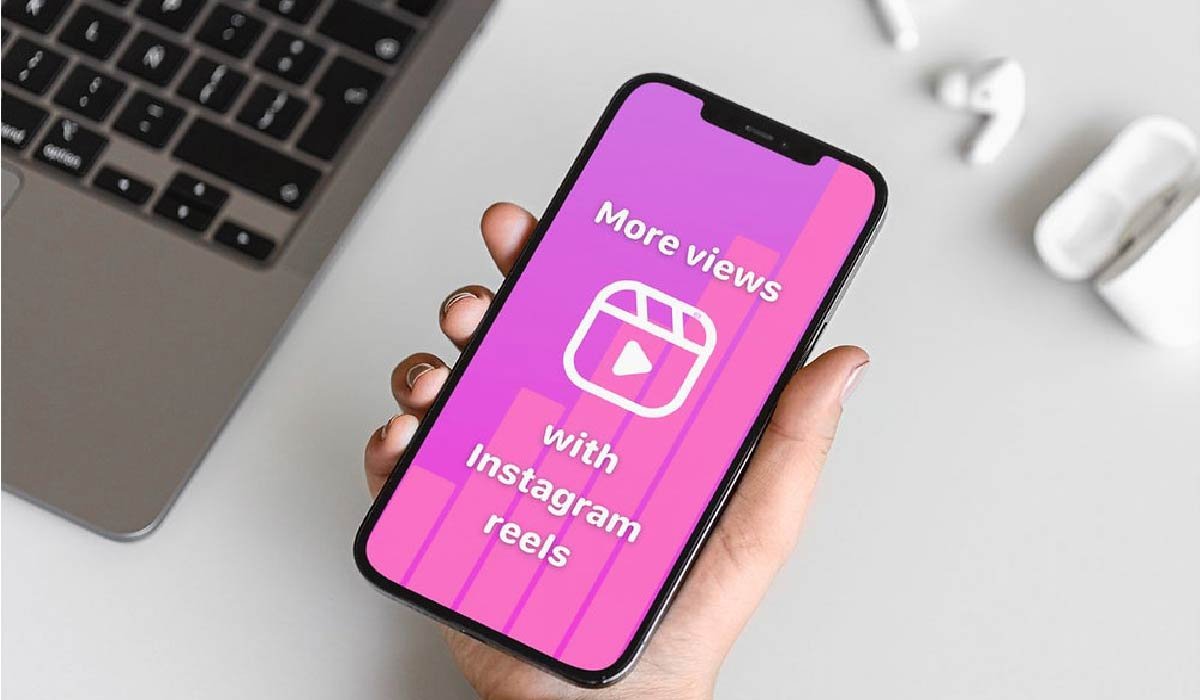
We all have those moments while scrolling through Instagram. You stumble upon a hilarious skit, a breathtaking travel montage, or a recipe you swear you’ll try next week. You double-tap, maybe share it to your story, but then it disappears into the endless feed. The “Save” feature on Instagram is useful, but it doesn’t actually save the file to your device. What happens if the creator deletes it? Or if you want to watch it offline during a long flight?
This is where understanding how to download content becomes essential. Whether you are a content creator looking for inspiration or just someone who loves keeping a personal archive of funny clips, having the right tool makes all the difference. This guide will walk you through the simple steps to keep those videos forever and introduce you to a versatile tool that handles much more than just Instagram.
Why You Should Save Content Offline
Streaming is convenient, but ownership is better. Relying solely on an internet connection means you are at the mercy of signal strength and data caps. Downloading videos ensures you have high-quality playback whenever you want, without buffering circles ruining the punchline of a joke.
Moreover, for digital marketers and creators, having a local copy of viral content is crucial for analysis. You can study editing techniques, trending audio usage, and caption styles without needing to hunt down the post again. It’s about building a resource library that sits right in your gallery.
The Challenge with Instagram’s Native Options
Instagram wants you on their app. That is their business model. As a result, they don’t make it easy to take content off the platform. While they have recently introduced some download features for Reels in certain regions, these often come with watermarks or audio restrictions due to licensing agreements.
To get a clean, high-quality copy of a video, you typically need a third-party solution. The internet is flooded with these tools, but not all are created equal. Some are riddled with pop-ups, while others compress the video quality so much it looks like a pixelated mess. You need a reliable, fast, and safe method.
Introducing VidMate: Your All-in-One Media Solution
If you are looking for a robust tool that goes beyond simple downloading, VidMate is a name you should know. While many sites are “one-trick ponies” that only handle a single platform, VidMate stands out as a comprehensive media downloader.
It is designed to be a powerful Instagram downloader that allows users to download videos and music directly from Instagram. However, its capabilities don’t stop there. VidMate supports downloading media from other popular platforms such as YouTube, Facebook, Twitter, WhatsApp, and more. This versatility means you don’t need five different apps for five different social networks. You have one central hub for all your media needs.
The interface is user-friendly, meaning you don’t need to be tech-savvy to figure it out. Whether it’s a status update from WhatsApp or a tutorial from YouTube, VidMate handles the extraction process smoothly, maintaining the quality of the original file.
How to Download Standard Instagram Videos
Let’s get into the “how-to.” Downloading a standard video post (the ones that appear in your main feed) is straightforward when you have the right resource. The process generally involves copying the link from the Instagram post and pasting it into a downloader.
It is important to look for a service that grabs the highest resolution available. You don’t want a grainy video. A quality tool will parse the link, find the source file, and offer you a instagram video download link that starts the process immediately. Once you hit that button, the MP4 file saves directly to your device’s storage, ready for viewing, sharing, or editing.
When using VidMate for this, the process is seamless. You can often browse Instagram directly within the app, and when you see a video you like, a download button appears. It removes the friction of switching back and forth between apps.
Mastering the Art of Reels
Reels have taken over Instagram. These short-form, vertical videos are addictive and often contain the most viral trends. Because of their popularity, the demand to download them is even higher than for standard videos.
However, Reels can be tricky. Sometimes the audio is copyrighted, or the format is slightly different. You need a specialized tool that understands the architecture of a Reel. The best downloaders strip away the clutter and give you the pure video file.
If you are trying to build a collection of these short clips, you need a reliable instagram reels download tool. This specific function ensures that the vertical aspect ratio is preserved and the audio remains synced perfectly with the video. With VidMate, grabbing a Reel is just as easy as grabbing a standard post. You get the full experience, offline, on your phone.
Best Practices for Downloaded Content
Now that you have the files, what should you do with them? Here are a few tips to manage your offline library:
- Organize by Category: Don’t just dump everything into one “Downloads” folder. Create sub-folders for “Recipes,” “Gym Workouts,” “Funny,” or “Inspiration.” This makes finding that specific clip months later much easier.
- Respect Copyright: This is critical. Downloading content for personal use is generally accepted, but reposting someone else’s work as your own is not. If you share a downloaded video, always credit the original creator. If you plan to use the footage for commercial purposes, you must get permission.
- Check Storage Space: High-quality videos take up space. Regularly clean out your folder or back up older files to a cloud service or external hard drive to keep your phone running smoothly.
Troubleshooting Common Issues
Sometimes, a download might fail. Here is how to fix it:
- Private Accounts: Most downloaders cannot access content from private Instagram accounts. If you follow the person but the downloader can’t see the post, it’s because the tool doesn’t have your login permissions.
- Broken Links: If you copy a link and it doesn’t work, the post might have been deleted or the link was not copied correctly. Go back and try copying the “Link to Post” again.
- Outdated App: If you are using an app like VidMate, ensure you are running the latest version. Platforms like Instagram update their code frequently, and downloaders need to update to keep up.
Conclusion
The internet moves fast, and content can disappear in the blink of an eye. Taking control of your media consumption by downloading your favorite videos ensures you never lose access to the things that entertain or educate you.
Whether you are looking for a quick way to save a Reel or need a comprehensive manager for all your social media downloads, tools like VidMate offer a powerful solution. By using a trusted service, you ensure safety, quality, and ease of use. Next time you see a video you love, don’t just like it—save it.


Do You Really Need a Watch Winder for Your Automatic Watch?

Why Sportswear Is No Longer Limited to Athletes

The Name Necklace Trend Is Back, But More Grown-Up

A Clearer Route to Reliable professional drain clearance and CCTV inspection

Is The High Street Bank Losing Its Grip On UK Business Loans?

How Engineering Firms Are Using Technology to Deliver Faster Projects

Why Elasticated Waists Have Stopped Being the Thing Nobody Admits They Own

Magnific for Enterprise: How Global Brands Are Using AI Creative Production at Scale

Micro-Soldering Tools and iPhone Motherboard Repair: A Complete Guide

UK Management College Celebrates 10 Years of Excellence with Landmark SummerFest 2026 at Heaton Park

TabooTube Explained: The Powerful Platform for Unfiltered Content

SSIS 469: Fixing SQL Data Errors in ETL Workflows

content://cz.mobilesoft.appblock.fileprovider/cache/blank.html: Explained with Powerful Insights

Scrolller Explained: The Powerful Way to Browse Reddit Images

Zavalio com Explained: The Ultimate Truth You Must Know

adswynk com: Monetize Links With Smart Ads in 2025

Deshoptec com Review: Powerful Truth About This Online Store

kz43x9nnjm65: The Smart Code Transforming Digital Technology

Novafork: The Best Free Streaming Site for Movies, Shows & Anime

Milohacherry Coin Explained: The Powerful Lifestyle Crypto Rewarding Travel & Fitness
-
 Blog9 months ago
TabooTube Explained: The Powerful Platform for Unfiltered Content
-
 Blog11 months ago
SSIS 469: Fixing SQL Data Errors in ETL Workflows
-
 Blogs12 months ago
content://cz.mobilesoft.appblock.fileprovider/cache/blank.html: Explained with Powerful Insights
-
 Blog9 months ago
Scrolller Explained: The Powerful Way to Browse Reddit Images