
Tech
Laser Engraving Stone: The Ultimate Guide to Materials & Machines

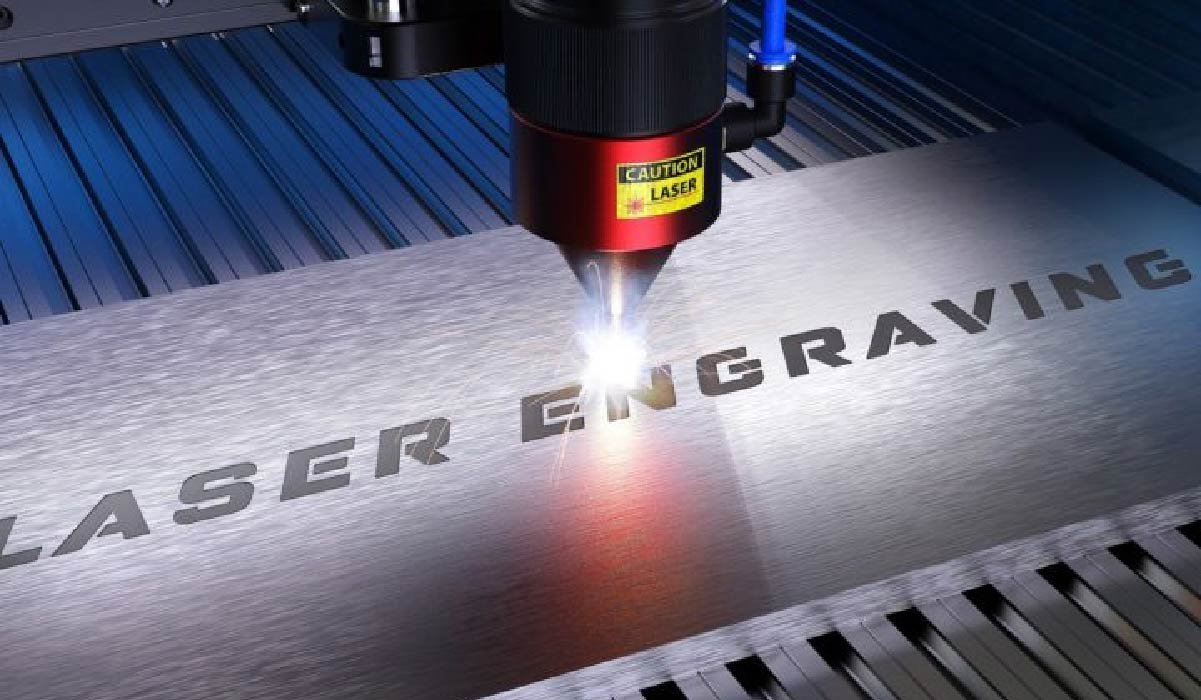
Can you laser engrave stone? Yes, you can laser engrave stone effectively. Unlike wood or leather, where the laser burns the material, engraving stone works through micro-fracturing. The intense heat of the laser beam causes the surface of the stone to expand rapidly and flake off, revealing the raw, unpolished, and usually lighter material underneath.
Why Choose Laser Engraving for Stone?
This thermal reaction creates a permanent, weather-resistant mark that does not fade over time. While you generally cannot cut through stone with a standard hobbyist laser, you can achieve high-contrast photo engravings and deep textural carvings.
- Best Contrast: Dark stones like slate and polished black granite.
- Mechanism: Thermal shock (surface fracturing), not burning.
- Permanence: Extremely high; suitable for outdoor use.
Stone Engraving Compatibility Summary
| Stone Type | Best Laser Source | Difficulty Level | Contrast Quality |
| Slate | Diode / CO2 | Beginner (Easiest) | Excellent (Turn white) |
| Granite | CO2 / Fiber | Intermediate | Good (Needs polish) |
| Marble | CO2 / Fiber | Intermediate | High (Subtle depth) |
| Pebbles (Basalt) | Diode / CO2 | Beginner | Good |
| White Marble | CO2 / Fiber | Advanced | Low (Needs paint fill) |
Choosing the Right Laser for Stone
Not all lasers interact with stone properties in the same way. The wavelength of the light beam determines how well the stone absorbs the energy.
CO2 Lasers: The Versatile Standard
For professional stone engraving, the CO2 laser is the industry standard. Operating at a wavelength of 10600nm, this beam is highly absorbed by organic materials and natural stone.
- Why it works: The high absorption rate allows for faster processing speeds and deeper engraving depths per pass.
- Best For: Large-scale projects, polished granite slabs, marble memorials, and high-volume production.
- Top Tip: A CO2 laser typically leaves a cleaner edge on the engraved area compared to diode lasers.
Diode Lasers: The Affordable Entry Point
Modern Diode lasers (typically 450nm blue light) have evolved significantly. While once too weak for stone, today’s 20W and 40W optical output modules are fully capable of engraving slate and basalt.
- Capabilities: Excellent for coasters and small signage.
- Limitations: Because the wavelength is in the visible spectrum, light-colored stones (like white marble) may reflect the beam rather than absorb it. You may need to coat the stone with black tempera paint or specialized laser marking spray to facilitate heat absorption.
- Speed: Slower than CO2 or Fiber.
Fiber Lasers: For Deep & High-Speed Engraving
Fiber lasers (1064nm) are primarily designed for metal, but they are exceptionally powerful on hard stone. Using galvo technology, they can achieve speeds up to 10000 mm/s.
- Why it works: The high peak power allows for deep removal of material, creating a “carved” 3D effect rather than just a surface mark.
- Best For: Deep engraving on granite, serializing industrial parts, and mass-producing slate items.
Best Stone Types for Laser Processing
Slate: High Contrast & Easiest for Beginners
If you are new to laser engraving stone, start with slate. It is affordable, flat, and forgiving.
- The Reaction: Slate is a dark grey sedimentary rock. When the laser hits it, the top layer vaporizes instantly, turning a distinct bright white/light grey.
- No Prep Needed: You rarely need masking tape or pre-treatment sprays. Just focus and fire.
Marble & Granite: Premium Finishes
These are harder stones and react differently.
- Granite: Best results come from Polished Black Granite. The laser removes the polish, creating a matte, rough contrast against the shiny background.
- The “Pitting” Effect: Laser engraving granite creates micro-pits. If DPI is too high, the stone can crumble into dust rather than holding a crisp image. Lower your DPI (approx 300) for better structural integrity.
Basalt & Pebbles: Texture and Depth
River rocks and basalt pebbles are excellent for rustic gifts.
- Challenge: The surface is rarely flat.
- Solution: Use a laser with a long focal depth or a specific “long focus” lens. If the rock is too curved, the edges of your design will be out of focus and blurry. Keep designs small and centered on the flattest part of the stone.
Ceramics & Quartz: The Specialty Stones
- Ceramics: Unglazed ceramic engraves well. Glazed ceramic usually requires a marking spray (like Norton White Tile Method) to fuse a color into the glaze, as the laser alone might just shatter the glass layer.
- Quartz: Highly susceptible to thermal cracking. Use lower power and multiple passes rather than one high-power pass.
Professional Techniques for Best Results
Optimal Settings: Speed vs. Power
Never guess your settings. Every piece of stone has a different mineral density.
- Run a Test Grid: Create a matrix of small squares. Set the X-axis to vary Speed (e.g., 100mm/s to 600mm/s) and the Y-axis to vary Power (10% to 100%).
- The Sweet Spot: Look for the square that gives the brightest white contrast without digging too deep or causing the stone to chip uncontrollably.
Post-Processing: Painting and Inlaying
This is the secret to high-end “Etsy-ready” products. Sometimes the laser doesn’t provide enough natural contrast, especially on light stones.
- The Paint Fill: After engraving deep, apply acrylic paint or gold leaf over the area. Let it dry, then wipe the surface with a damp cloth or razor scraper. The paint stays in the laser-etched crevices but wipes off the polished surface.
- Enhancing Slate: After engraving slate, apply a thin coat of mineral oil or clear matte lacquer. This darkens the un-engraved black slate, making the white engraving pop even more.
Image Preparation
Stone cannot reproduce grayscale. It is binary—the stone is either pitted or it isn’t.
- Invert the Image: Lasers burn “black” pixels. On black granite, you want the laser to fire on the light parts of your photo. You must invert your image negative.
- Dithering: Use an image editor (like LightBurn or Photoshop) to process the photo using “Stucki,” “Jarvis,” or “Newsprint” dithering. This converts gradients into a pattern of dots that the laser can process.
Safety and Maintenance
Managing Stone Dust
Safety is critical. Engraving stone produces Silica dust, which is extremely hazardous if inhaled.
- Enclosure: Always operate the laser in a full enclosure.
- Air Assist: Use strong air assist at the nozzle to blow dust away from the cut path.
- Extraction: An inline fan venting outside is mandatory. Ideally, use a filtration system with a HEPA filter to trap fine particles.
Cooling and Lens Care
Stone dust is abrasive. If it settles on your laser lens and the beam fires through it, the dust will superheat and crack your lens immediately.
- Positive Pressure: Ensure your air assist is keeping positive pressure inside the lens nozzle to prevent dust from entering.
- Clean Often: Clean the lens and mirrors with isopropyl alcohol after every heavy stone engraving session.
Top Stone Laser Engraving Ideas for Business
If you are looking to monetize your laser, stone offers high perceived value.
- Personalized Home Decor: Slate coasters are a best-seller. They are cheap to source and sell for a high markup. Also consider slate cheese boards and house number plaques.
- Memorials: Pet memorials on black granite tiles are a huge market. The permanence of stone offers comfort to grieving owners.
- Industrial Branding: Luxury hotels and spas often prefer stone signage over plastic. Engraved marble coasters or basalt stones are high-ticket B2B items.
FAQs
Q1: Does laser engraving on stone wear off?
No, it is permanent. You are physically fracturing the stone’s surface, so the design will withstand rain, sun, and snow without fading.
Q2: What is the best laser for granite?
A CO2 laser (40W and up) is best for granite because of its speed and optimal wavelength absorption, but a Diode laser can also achieve good results at slower speeds.
Q3: Can I engrave stone with a 10W laser?
Yes, specifically on dark slate and tile. However, a 10W laser may struggle with harder stones like quartz or light-colored rocks due to lack of power and absorption.
Q4: Why is my photo engraving on stone blurry?
This is usually due to the “dot overlap.” Reduce your DPI. Stone cannot hold detail as fine as wood; a DPI of 254 to 318 is usually the maximum effective resolution for granite.

How to Fix “Error Connecting to Server” on WebRTC Video Chats

Scaling Modern Applications: A Guide to Microservices and AWS Expertise

Evaluating a Fast Turn PCB Partner for High-Frequency Applications

Why Roaming Can Be a Problem Abroad and How an eSIM Can Help

Do You Really Need a Watch Winder for Your Automatic Watch?

Why Sportswear Is No Longer Limited to Athletes

The Name Necklace Trend Is Back, But More Grown-Up

A Clearer Route to Reliable professional drain clearance and CCTV inspection

Is The High Street Bank Losing Its Grip On UK Business Loans?

TabooTube Explained: The Powerful Platform for Unfiltered Content

SSIS 469: Fixing SQL Data Errors in ETL Workflows

content://cz.mobilesoft.appblock.fileprovider/cache/blank.html: Explained with Powerful Insights

Scrolller Explained: The Powerful Way to Browse Reddit Images

Zavalio com Explained: The Ultimate Truth You Must Know

adswynk com: Monetize Links With Smart Ads in 2025

Deshoptec com Review: Powerful Truth About This Online Store

kz43x9nnjm65: The Smart Code Transforming Digital Technology

Novafork: The Best Free Streaming Site for Movies, Shows & Anime

Milohacherry Coin Explained: The Powerful Lifestyle Crypto Rewarding Travel & Fitness
-
 Blog10 months ago
TabooTube Explained: The Powerful Platform for Unfiltered Content
-
 Blog12 months ago
SSIS 469: Fixing SQL Data Errors in ETL Workflows
-
 Blogs1 year ago
content://cz.mobilesoft.appblock.fileprovider/cache/blank.html: Explained with Powerful Insights
-
 Blog10 months ago
Scrolller Explained: The Powerful Way to Browse Reddit Images